Why use a GTA 6 companion at all?
A great open-world game gives you freedom. The problem is that freedom makes it easy to lose track of what you have done, what you missed and what you meant to come back to. A good GTA 6 companion does not play the game for you — it simply remembers the things your brain should not have to hold.
What this GTA 6 companion does
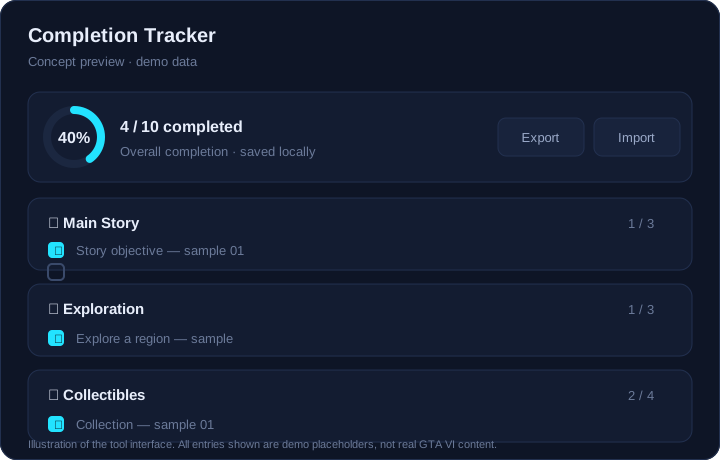
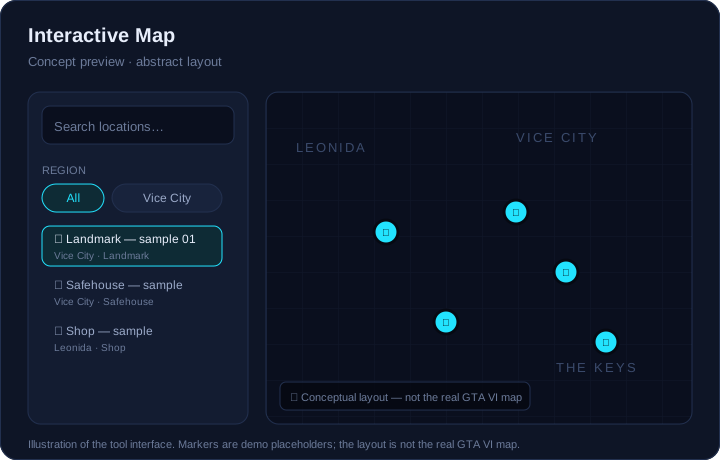
This GTA 6 companion is built around three jobs. First, the progress tracker turns a long list of objectives into a simple checklist and shows one number that answers "how far am I?". Second, the mission list helps you see mission order, rewards and which content is easy to miss. Third, the interactive map gives you a place to search and filter locations instead of scrolling through a forum thread.
None of these tools replace a walkthrough. They complement one. When you already know what you are looking for, a good GTA 6 companion gets you to the answer in seconds. That is the whole idea behind this GTA 6 companion: less menu-diving, more playing.
One number for everything
Completion percentage, category counts and a clean checklist keep long-term goals visible without clutter.
Find the next thing to do
Filter the mission list and map by region and type so you always have a next step, not just a list.
How to use the companion while you play
The best way to use this GTA 6 companion is to keep it open on a second screen or your phone. When you finish an objective, tick it. When you stumble on a location worth returning to, note it on the map. Over a long session those small habits add up: you stop relying on memory and start relying on a record you trust.
- Before a session: open the mission list and pick one region to focus on.
- During play: tick items as you finish them — the completion rate updates instantly.
- After a session: export your progress code so you have a backup you control.
Why local-first matters
Most companion sites ask you to create an account. That means a password to remember, a profile to trust and data you cannot easily take away. This GTA 6 companion takes a different route: everything you tick is stored in your own browser with localStorage. There is no login, no server-side profile and nothing to sync behind your back. If you want to move your progress, you export a short code and import it elsewhere.
Local-first is not just about privacy. It is about speed and reliability. Every tool in this GTA 6 companion works the same on a slow connection as on a fast one, and keeps working even if the site is unreachable, because your data never left your device. That resilience is a quiet advantage of a local-first GTA 6 companion.
How we handle unverified game data
Because GTA VI has not been released yet, honesty about data is part of the product. Every entry in this GTA 6 companion carries an evidence label: demo placeholder, officially confirmed, in-game verified, community reported or unverified. You will always know whether a line came from a trailer, from playtesting or from a rumour. Read the full evidence policy to see how we classify sources.
That discipline is deliberate. A GTA 6 companion is only useful if you can trust it. We would rather publish fewer facts and label them correctly than fill pages with guesses that turn out to be wrong — that is the promise of this GTA 6 companion.
Ready to start? Open the free GTA 6 companion progress tracker or learn who makes this site.